
All appointments
यह पेज अभी हिंदी में उपलब्ध नहीं है, इसलिए अंग्रेज़ी में दिखाया गया है।
Appointments > All appointments is the day’s record: every visit and where the money stands. The calendar is for running the day; this list is for finding a visit and checking what was paid.
Open All appointments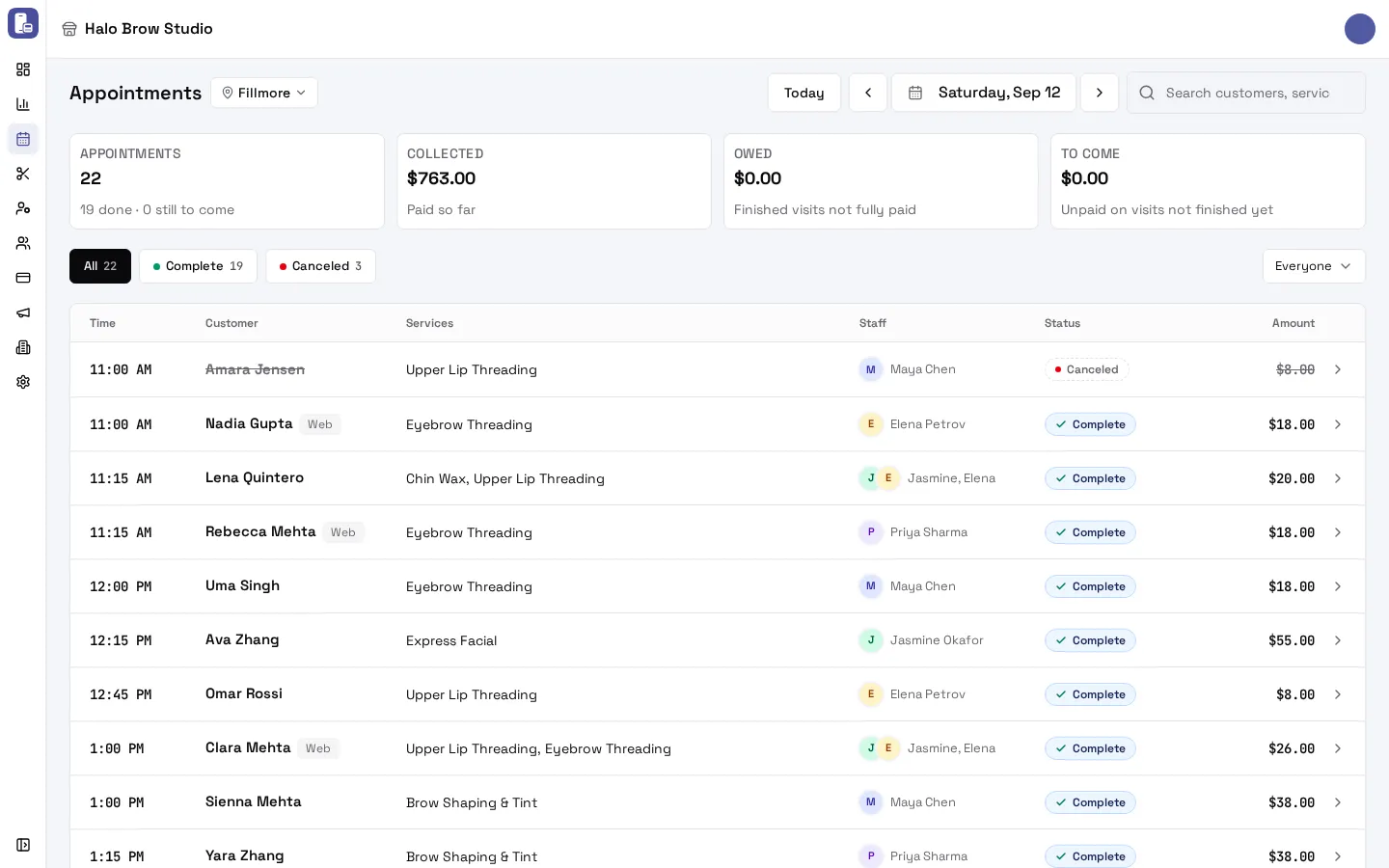
What do the tiles at the top mean?
Section titled “What do the tiles at the top mean?”| Tile | Meaning |
|---|---|
| Appointments | Visits on the day, with how many are done and still to come |
| Collected | Paid so far (a deposit counts as paid) |
| Owed | Finished visits that weren’t fully paid |
| To come | Not paid yet on visits that haven’t finished |
No-shows and cancellations are struck through and never count as owed. The totals at the bottom always add up: booked = collected + to come + owed.
How do I filter the list?
Section titled “How do I filter the list?”- Status chips: All, a chip per status that day (for example Complete, Canceled, Needs confirmation) and Owes money. Each chip shows its count.
- Staff: the Everyone menu on the right shows one person’s visits.
- Search: type a customer, service or staff name.
- Day: Today, the arrows, or the date.
How do I find clients who left without paying?
Section titled “How do I find clients who left without paying?”Pick the Owes money chip. It lists finished visits that weren’t paid in full, with the amount still due. Open one to see its balance.
What does the “Web” tag mean?
Section titled “What does the “Web” tag mean?”Web beside a name means the client booked on your booking site. Bookings made by your team or walk-ins have no tag.
How do I open an appointment?
Section titled “How do I open an appointment?”Click (or tap) a row. It opens the appointment page, where you can check in, complete, cancel, reschedule and more. See Inside a booking. Back returns to the same day.
Troubleshooting
Section titled “Troubleshooting”Why isn’t an upcoming unpaid visit counted as owed?
Section titled “Why isn’t an upcoming unpaid visit counted as owed?”Only finished visits can be owed. An unpaid visit that hasn’t happened yet counts under To come.
The amount doesn’t match the service prices
Section titled “The amount doesn’t match the service prices”The amount comes from the visit’s payment record, so it includes discounts, coupons, extra services and quantities. A paid deposit shows as part paid.
A staff member shows as “Former staff”
Section titled “A staff member shows as “Former staff””That person has been removed from your team. Their past visits keep their place on the list.