
Clocking in & today's clients
यह पेज अभी हिंदी में उपलब्ध नहीं है, इसलिए अंग्रेज़ी में दिखाया गया है।
How do staff clock in?
Section titled “How do staff clock in?”- On the Today tab, tap Clock in.
- The clock-in screen shows the location’s name. Press and hold Hold to clock in until it fills.
- Today now says “You’re clocked in”.
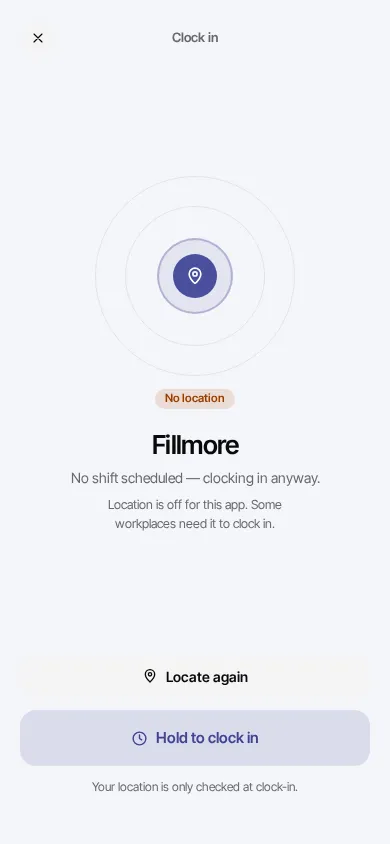
They can clock in even with no shift scheduled (“No shift scheduled”). Staff can also clock in on the front desk tablet.
How do staff clock out?
Section titled “How do staff clock out?”On Today, tap Clock out, then Tap again to clock out to confirm. Clocking out works from anywhere.
Does the app check where they are?
Section titled “Does the app check where they are?”Only if you choose so. Each location has a Clock-in area in Settings > (your location) > Clock-in area:
- Anywhere (the default): staff can clock in from their phone wherever they are.
- Only near this location: the phone’s location is checked when they clock in, and they must be within the distance you set (50 to 500 m) of the spot you chose.
The tablet at the counter, and managers clocking someone in, are never limited. See Clock-in area.
How do staff see today’s clients?
Section titled “How do staff see today’s clients?”Below the clock is Today’s clients: each booking with its time, services, price and status. Tapping one shows the services, their prices and the ticket total. Walk-ins and new bookings appear as they come in.
The tiles above show Tips today, Clients done today, and This period (take-home so far this pay period).
Troubleshooting
Section titled “Troubleshooting”“Your location is needed to clock in at location”
Section titled ““Your location is needed to clock in at location””The location uses Only near this location, and the app can’t see where the phone is. Turn on location for the browser or app in the phone’s settings, then tap Locate again.
“You’re 1.2 km from location. Clock in within 100 m.”
Section titled ““You’re 1.2 km from location. Clock in within 100 m.””They’re too far from the spot the owner chose. Walk to the salon and tap Locate again. If they’re at the door and still refused, the owner can check the spot and distance in Settings > (location) > Clock-in area, or they can clock in on the front desk tablet.
“Couldn’t clock in.”
Section titled ““Couldn’t clock in.””Check the phone’s internet connection and try again. If it keeps happening, clock in on the front desk tablet and tell the owner.
Forgot to clock out?
Section titled “Forgot to clock out?”The owner (or a manager) can fix it in Work history. Until then, the pay period shows Missing clock-out and that day counts 0 hours.
A client is missing from Today’s clients
Section titled “A client is missing from Today’s clients”Only the person’s own bookings for today show. Check the booking is with them, and today, on the dashboard calendar.